Full control of your maintenance
with no fees and no lock-in
Free, open source CMMS for plants, workshops and fleets. PC + Android, works offline and your data stays on your own computer.
What is MantPro?
MantPro is a free, open source computerised maintenance management system (CMMS). It is used to plan preventive maintenance, log breakdowns and corrective work, manage the spare parts store and see how much each machine costs to maintain.
It is installed on a Windows or Linux PC, which keeps the data, and comes with two Android apps: MantPro, so technicians can log jobs at the machine, and MantPro Stock, for the storeroom. Both work offline for the whole shift and sync with the PC when they are back on the network.
There are no fees and no limits on users, machines or records, and it does not depend on any cloud: the database lives on your computer. It is developed by AnabasaSoft under the AGPL-3.0 licence.
- Type
- CMMS
- Price
- Free, no limits
- Licence
- AGPL-3.0
- Platforms
- Windows, Linux and Android
- Mobile apps
- MantPro · MantPro Stock
- Languages
- Spanish, English, Basque, Catalan, Galician, Portuguese, French and German
- Data
- On your PC, no internet required
- Developer
- AnabasaSoft
Tired of spreadsheets and chat messages?
In many workshops and plants maintenance is tracked on paper, shared sheets and messages. Until you need to know what was done to one particular machine.
Logged on the spot
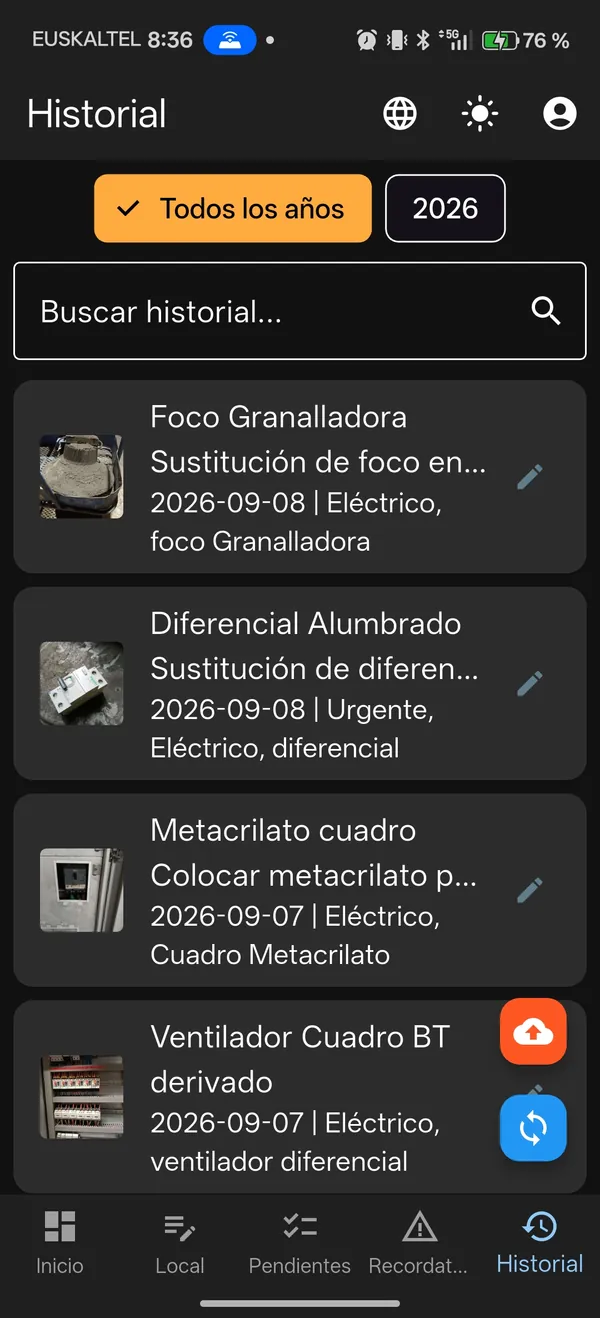
Each technician records the job from their phone, with photos and videos, even without a connection.
Everything organised on the PC
History by machine, date and person. PDF reports, Excel/CSV export and a dashboard with KPIs.
Inventory included
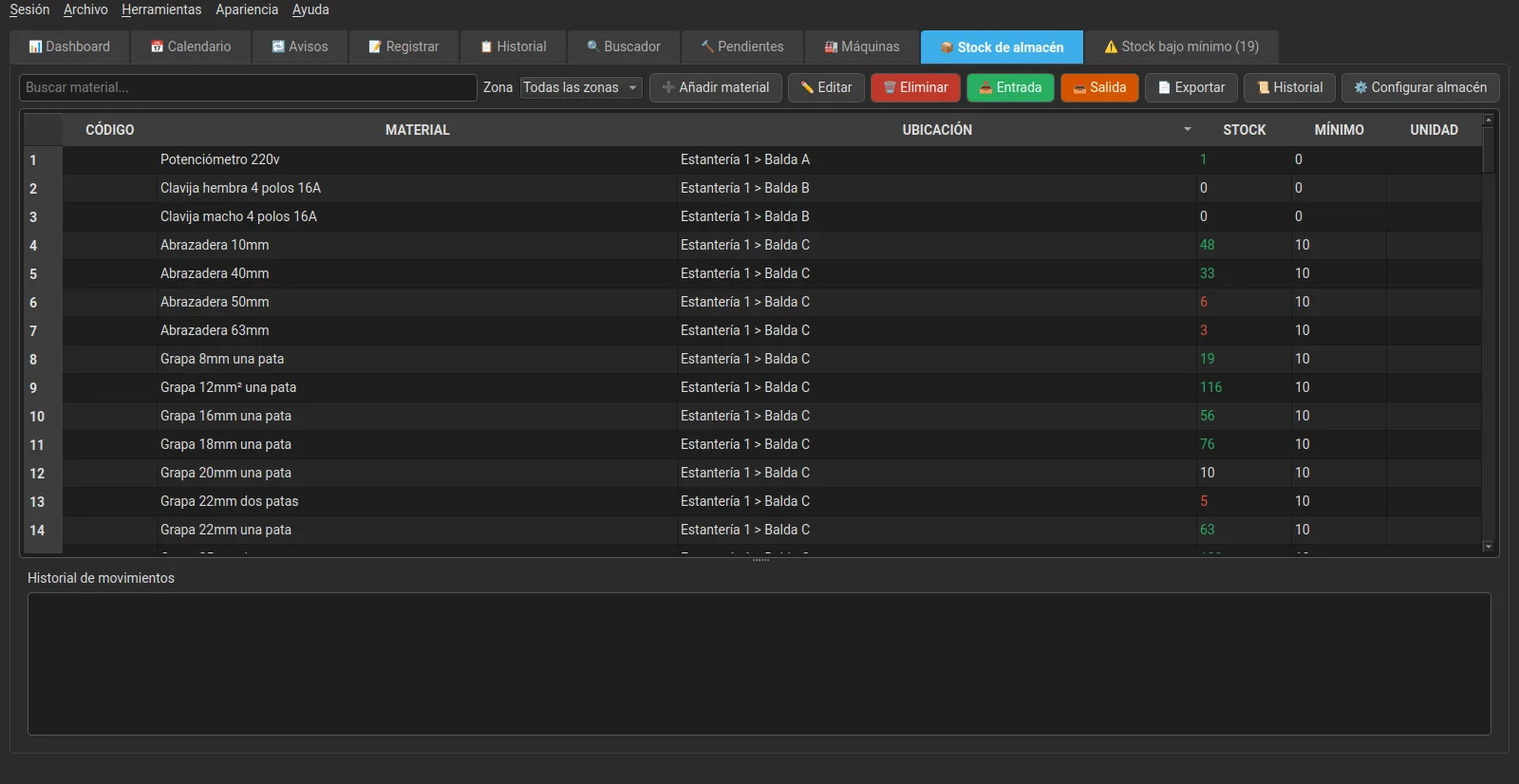
Spare parts stock, locations, stock in and out, minimum stock alerts and supplier orders. No extra modules.
Everything you need in one system
Preventive, corrective, inventory, purchasing, reports and mobile apps. Built for day-to-day maintenance.
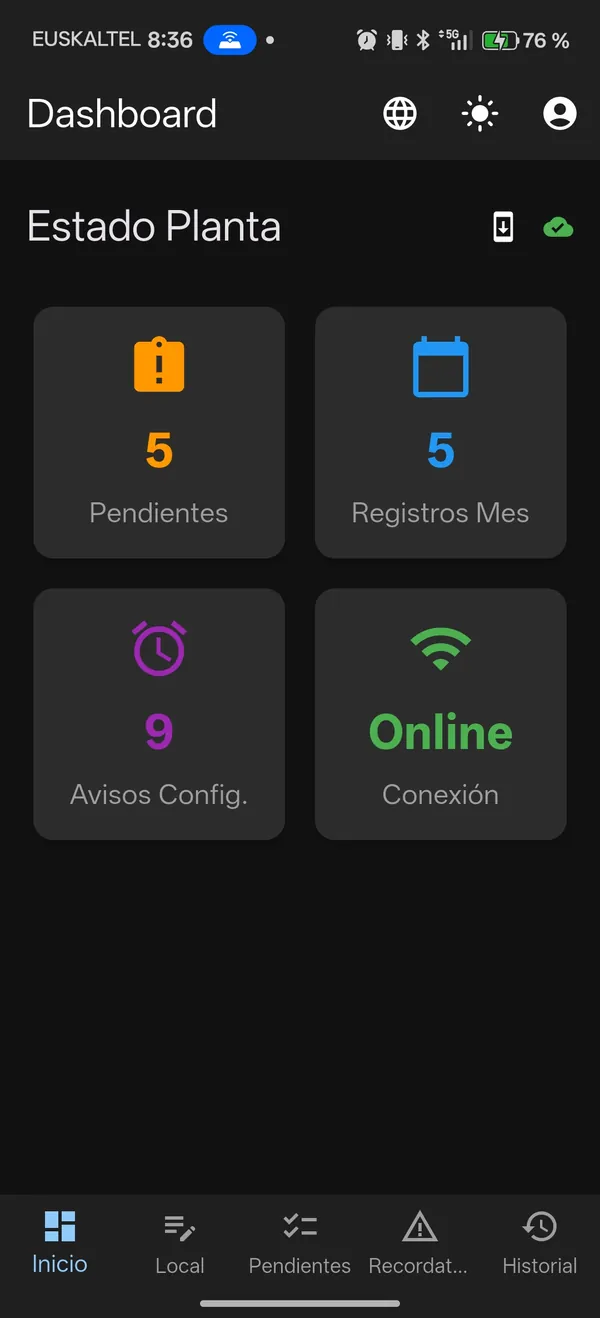
Dashboard with KPIs
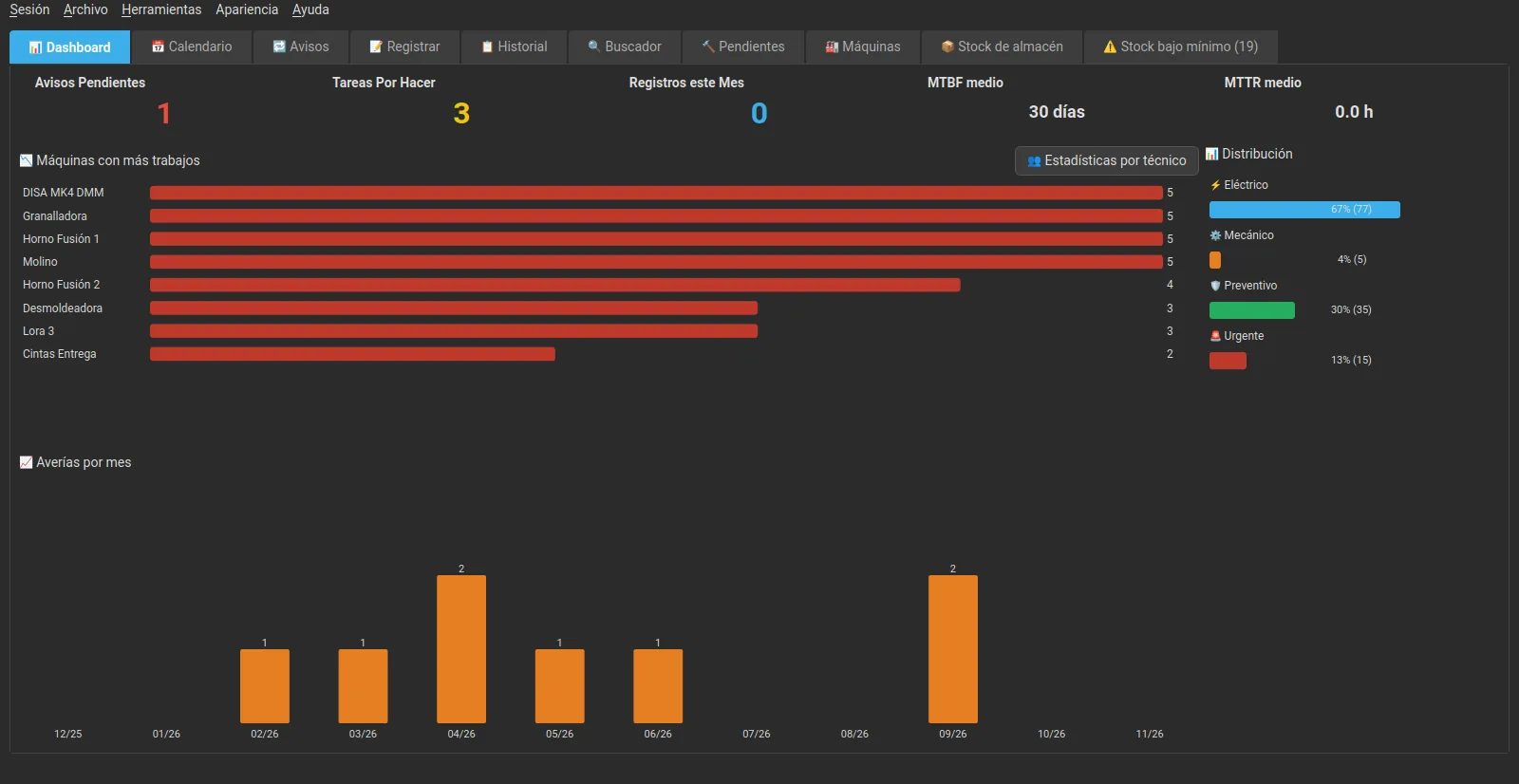
Alerts, tasks, MTBF/MTTR, monthly and yearly costs and breakdown charts.
Preventive and meter-based
By date, hours of use, cycles or km: whichever comes first. Offline on the phone too.
Checklists
Reusable templates with OK / not OK / N/A and readings with their range.
Photos and history
Before and after photos and a photo collection per job, all linked to the machine.
Videos in jobs
Record videos of up to 30 seconds on the phone or pick them from the gallery, and watch them on the PC.
Inventory
Shelves, items, movements, transfers, minimum stock alerts and export.
Purchasing and orders
Suppliers, price history, suggested order and sending by email, WhatsApp or PDF.
Maintenance costs
Labour, materials used and cost per machine, for administrators only.
PDF reports
Professional reports with your company logo. CSV and Excel export.
Import from Excel
Bring in your machines, inventory, pending jobs and old history from Excel or CSV.
Security
Encrypted connection, optional encrypted databases and backups, roles and change log.
Users and roles
Administrator, technician and storekeeper, with device sessions and assigned phones.
Calendar
Colour-coded view: holidays, leave and tasks.
Backups
Automatic throughout the day, to an external folder and with a restore test.
8 languages
Spanish, English, Basque, Catalan, Galician, Portuguese, French and German, on the PC and in the apps.
QR labels for machines
A PDF of labels to stick on the machines; scanning one with the phone opens its record.
Android apps for the workshop and the storeroom
Two free apps that work offline for the whole shift and sync with the PC by themselves.
MantPro app (jobs)
For technicians: log jobs at the machine, complete pending tasks and check the history, with or without a network.
- Jobs with before and after photos and videos
- Editor to draw on photos
- Scan a machine's QR label to open its record
- Pending jobs with a «mine only» filter
- Checklists and meter readings
- Materials used, deducted from inventory
- Daily reminder of pending jobs
MantPro Stock app (storeroom)
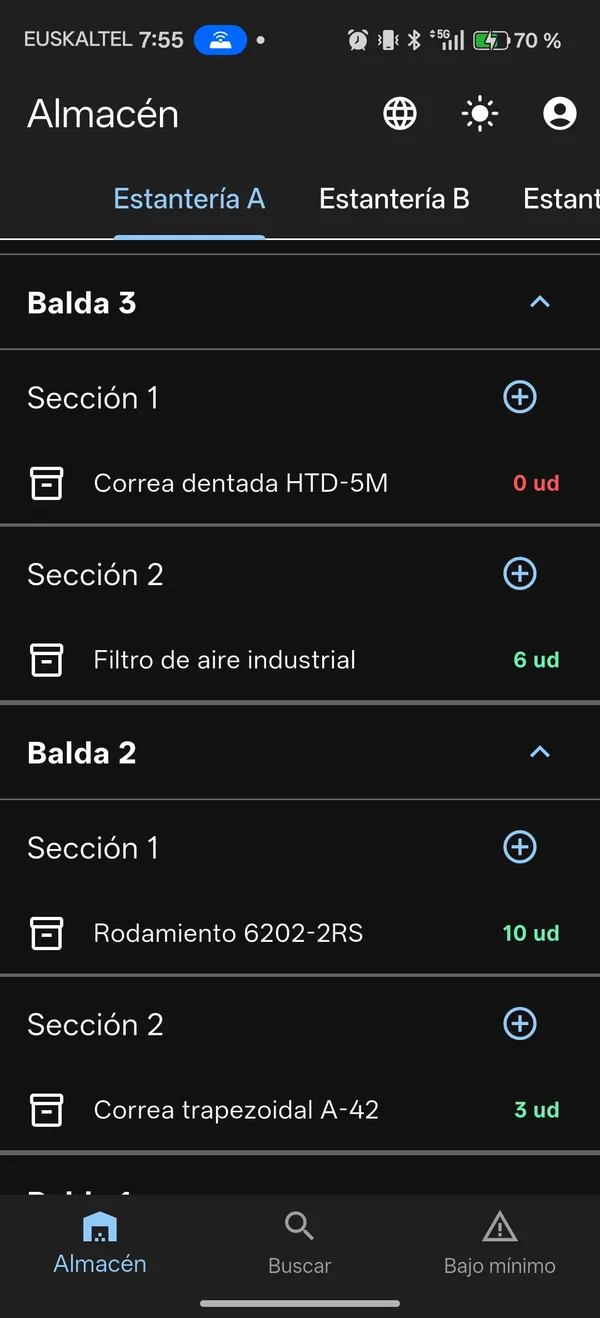
For the storeroom: check and move spare parts stock from the phone, without needing the jobs app.
- Tree of shelves, levels and sections
- Search by name, code or location
- Stock in, stock out and transfers instantly
- Below-minimum stock tab
- Daily check of 5 random items
- Which machines use each spare part
- Duplicate item warning
Desktop application
Windows and Linux. The control centre, with the mobile sync server built in.
- Preventive, corrective and calendar
- MTBF / MTTR KPIs and costs
- Inventory, purchasing and orders
- PDF reports with your logo
- Excel / CSV export and import
- Users, roles and backups
In both apps
100% offline
Everything is saved on the phone instantly and sent automatically when the network is back.
QR pairing
Scan the PC's QR code and the app is connected, with nothing to configure.
Secure connection
Encrypted traffic with the PC and the session kept in Android's secure storage.
In your language
The same 8 languages as the desktop application.
Self-updating
They announce each new version and install it from within the app.
Always up to date
They keep syncing in the background while they are open.
The apps are free APK downloads from GitHub, together with the desktop application.
Download the apps ↓Why MantPro and not a commercial CMMS?
Designed from real workshop needs, not from generic requirement lists.
- ✓Free foreverSelf-hosted on your PC or server. No fees per user or per month.
- ✓Your data, your infrastructureThe database lives on your computer. You do not depend on a cloud service still existing.
- ✓Truly offlineThe phone works the whole shift without a network. It syncs as soon as the connection is back.
- ✓Open source (AGPL-3.0)No limits on technicians, machines or records. You can audit and adapt the software.
| MantPro | Commercial CMMS | |
|---|---|---|
| Price | Free | Monthly fee |
| Limits | Unlimited | Depends on plan |
| Data | On your PC | In their cloud |
| Offline app | Full shift | Limited |
| Inventory and purchasing | Included | Extra module |
| Languages | 8, including Basque, Catalan and Galician | Depends on product |
| Source code | Open | Closed |
Demo video
See MantPro in action: desktop, phone and sync.
Screenshots
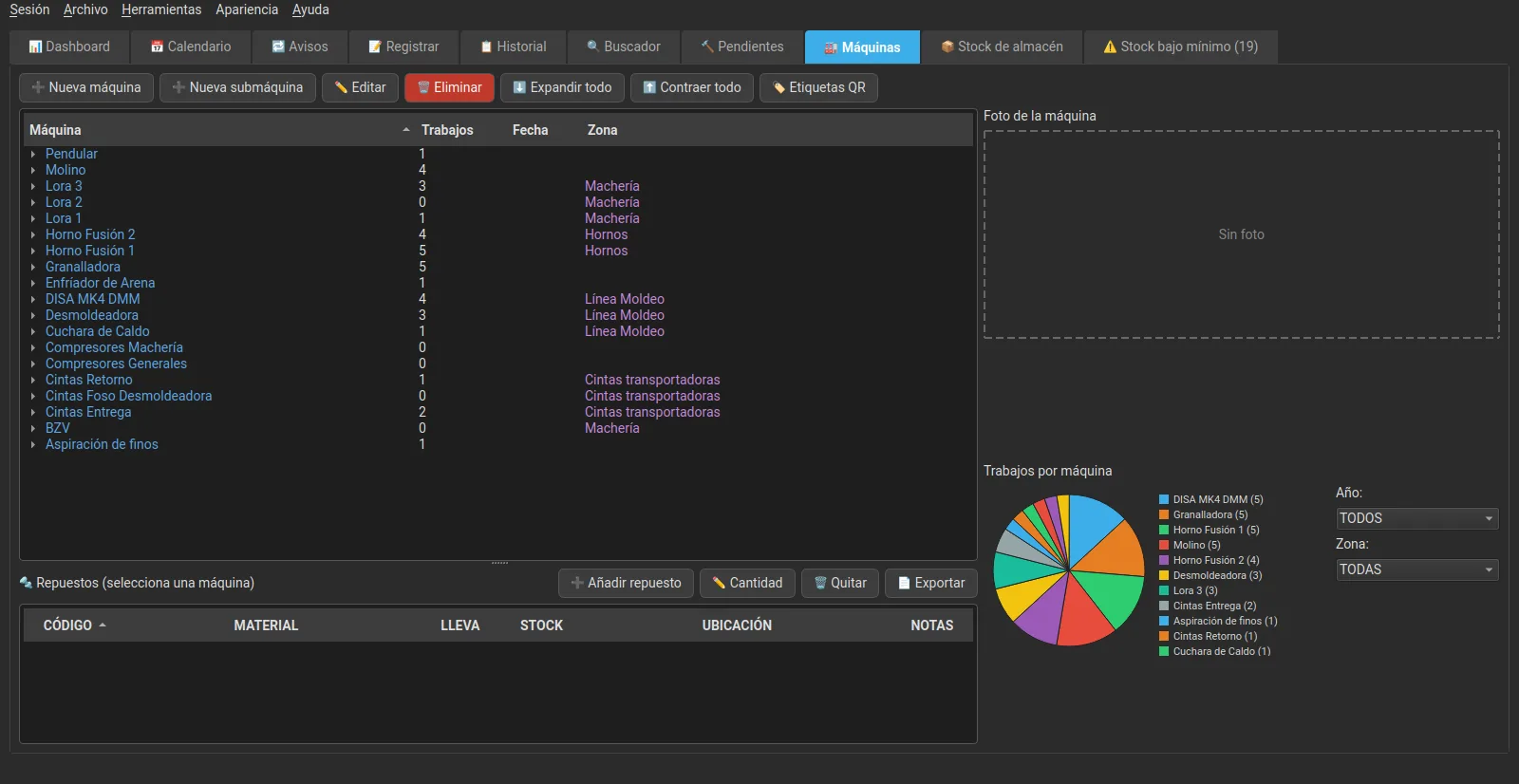
The desktop application and the Android apps, as they really are.
MantPro Cloud
MantPro is still free. MantPro Cloud is an optional paid service for those who need more than a local network.
Several PCs, the same data
Each PC keeps its own database and works offline; when it has a connection, it uploads and downloads the changes.
Phones from anywhere
The apps sync over 4G or any Wi-Fi. If the cloud is unavailable, they keep working with the PC as always.
Photos and videos in the cloud
Shared between all the company's PCs and phones.
Off-site backups
Automatic backups in the cloud, on top of your PC's own.
From €60 + VAT per month. See pricing and plans →
30 days free: nothing is charged until day 31 and you can cancel before then. Your data stays yours: if you stop paying, the PC keeps working with everything it has; it just stops syncing.
🎁 Special price for early customers: with the code PRIMEROS30 you get 30% off for the first 6 months.
Savings calculator
How much would you save by replacing a paid CMMS with MantPro?
Built for the people who run maintenance
Not for IT departments. For technicians, plant managers, workshops and freelancers.
Industrial SMEs
Real control of machines, jobs and stock without relying on scattered spreadsheets.
Workshops and fleets
Logging at the workstation, complete history and preventive maintenance by hours or kilometres.
Freelancers and technicians
Professional software with no fees, for your own facility or your clients'.
Plant managers
Dashboard, costs, statistics per technician and reports ready to present.
Frequently asked questions
Clear answers about price, apps, sync, data and more.
Contact
Questions, suggestions or want to collaborate? Write to us or visit our website.
Start today. No card. No commitment.
Download MantPro for Windows or Linux and the Android apps. Easy installation and your data always on your own computer.
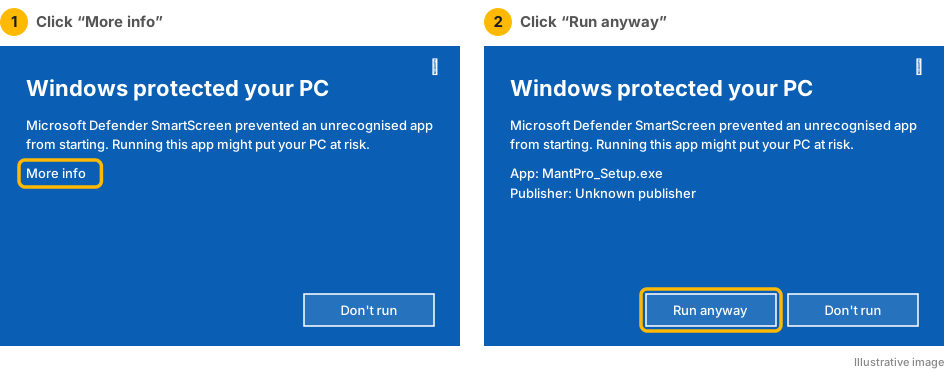
If Windows shows a warning: MantPro is not yet signed with a code signing certificate recognised by Microsoft, so the first time Windows may show “Windows protected your PC”. This is normal for new software and does not mean anything is wrong: click “More info” → “Run anyway”.